

To securely store cryptocurrency on hardware wallets, first purchase a reputable wallet, then transfer your coins to it. Use strong, unique passwords and keep the device in a safe location.
The surge in cryptocurrency investment has brought with it the need for robust security measures. Hardware wallets, offering a form of cold storage, have become a popular solution for those seeking to protect their digital assets from online threats. They physically store your private keys, which are necessary to access your cryptocurrency, making them less susceptible to hacking compared to their software counterparts.
These devices provide peace of mind through advanced security features, including PIN codes and recovery phrases. Understanding the nuances of their setup and usage is imperative for anyone wanting to safeguard their investments. Following best practices ensures that your cryptocurrency wealth remains as secure as possible while giving you control over your digital funds.
Why Choose A Hardware Wallet
For anyone invested in cryptocurrencies, security isn't just an option; it's a necessity. As digital assets become increasingly valuable, safeguarding them is paramount. Hardware wallets offer an unrivaled level of protection in the realm of cryptocurrency storage. These physical devices provide a secure way to store private keys, making them inaccessible to online hackers and immune to most forms of cyber theft. By choosing a hardware wallet, you're opting for a fortress to shield your digital wealth.
Importance Of Crypto Security
Understanding the significance of securing your cryptocurrency is critical in today's digital age. Your investments are susceptible to various online threats, including phishing scams, malware, and unauthorized access. Hardware wallets stand as vigilant guardians of your assets, maintaining security even in the event of a compromised computer or mobile device.
Differences From Software Wallets
- Offline Storage: Unlike software wallets, which reside on internet-connected devices, hardware wallets store your private keys offline, eliminating potential online vulnerabilities.
- Physical Control: You maintain physical control over a hardware wallet, dictating when and how it connects to the internet.
- PIN Protection: Access to a hardware wallet requires a PIN, ensuring only authorized users can operate the device.
- Recovery Options: Should you lose or damage the device, your assets can still be retrieved through a secure recovery process.
Risk Assessment Of Storage Options
| Storage Option | Risks | Security Level |
|---|---|---|
| Software Wallets | Vulnerable to online threats, reliant on device security | Moderate |
| Exchange Platforms | Subject to platform security, potential for internal breaches | Low to Moderate |
| Hardware Wallets | Minimal; primarily physical damage or loss | High |
Each storage option presents distinct risks. When conducting a risk assessment, it becomes evident that hardware wallets offer the utmost security. They mitigate the extensive array of threats that software wallets and exchange platforms face, standing out as the safest choice for cryptocurrency investors.
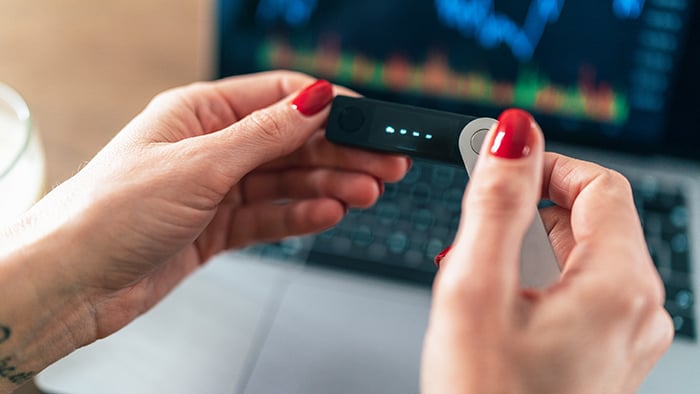
Credit: www.avast.com
Initial Hardware Wallet Configuration
The move to store digital currency in hardware wallets is a strategic step towards enhanced security. Not only does this decision safeguard your assets from online threats, but it also gives you the peace of mind that comes with having physical control over your investments. Initial hardware wallet configuration is a critical phase where attention to detail is paramount.
Unboxing And Verifying Authenticity
As you unbox your new hardware wallet, the first task is to check the product's authenticity. This is a critical step to ensure the device has not been tampered with or compromised during manufacturing or shipping.
- Inspect the packaging for signs of tampering.
- Look for security seals and verify their integrity.
- Use the manufacturer’s website to confirm the authenticity of the device by checking for serial numbers or using verification tools provided.
Installing Necessary Software/apps
Once verified, the next step involves installing the necessary software that will enable your hardware wallet to communicate with your computer or smartphone. This often includes interface applications or browser extensions.
- Download the official app or software from the manufacturer's website.
- Install and update the app to the latest version to ensure compatibility and security.
- Connect the wallet to your device and follow any on-screen instructions to complete the setup.
Secure Backup Of Recovery Phrases
The final and perhaps most crucial step involves securing the backup of your recovery phrases. These phrases act as a master key to regain access to your cryptocurrencies, should you forget your PIN or in the event of device loss.
- Write down the recovery phrase provided by your hardware wallet on a piece of paper.
- Store this paper in a secure and private location, such as a safe or a locked drawer.
- Consider making multiple copies and storing them in different physical locations for redundancy.
Never store your recovery phrases digitally or share them with anyone. If someone else gains access to these phrases, they have access to your funds.
Moving Assets To The Hardware Wallet
Securing cryptocurrencies is a prime concern for investors keen on protecting digital assets from unauthorized access. One of the most reliable methods to ensure the safeguard of these digital tokens is by storing them on hardware wallets. These physical devices offer robust security features, isolating the private keys from vulnerable online environments. Moving assets to a hardware wallet involves a critical process that users must carefully navigate to maintain the integrity and safety of their investments.
Pre-transaction Security Checks
Before initiating the transfer, it's essential to conduct a series of security checks:
- Verify the wallet's integrity by ensuring it's from a reputable manufacturer and purchased through an official or trusted retailer.
- Perform a firmware update to ensure the hardware wallet is running on the most recent and secure version of its operating system.
- Double-check compatibility of the hardware wallet with the specific cryptocurrency intended for storage.
- Establish a secure connection between the hardware wallet and your computer or smartphone, preferrably over a USB connection rather than Bluetooth or Wi-Fi for enhanced security.
Step-by-step Transfer Process
Transferring cryptocurrency to a hardware wallet requires a clear and methodical approach:
- Access your software wallet or cryptocurrency exchange where your assets are currently stored.
- Select the “Send” or "Withdraw" function to begin the transfer process.
- Enter or scan your hardware wallet’s receiving address. Always copy and paste this information directly from the device to avoid errors.
- Input the amount of cryptocurrency to be transferred.
- Review the transaction details carefully, including fees and destination address.
- Confirm the transaction, typically by entering a secure PIN or passphrase and, if required, a two-factor authentication code.
Most hardware wallets require physical confirmation on the device. Always follow this step to authorize the transaction.
Confirming Successful Transaction
Upon completing the transfer, it's critical to verify if the transaction was successful:
- Check the hardware wallet’s transaction history or use a blockchain explorer to confirm the transfer using the transaction ID (TXID).
- Ensure the cryptocurrencies have been received in the correct amount.
- Maintain a record of the transaction details for personal auditing and security purposes.
Confirmation times may vary based on the cryptocurrency's network traffic and transaction fees. Do not panic if your assets do not appear instantly; network delays are quite common.
Accessing Funds With Peace Of Mind
Accessing Funds with Peace of Mind is crucial when dealing with the digital currency world. Hardware wallets provide a fortress of security for your cryptocurrency assets, mitigating the risks associated with online hacking threats. With your assets safely stashed, your focus can shift from worrying about security to understanding the nuances of managing your cryptocurrency effectively. Below, you'll find essential steps and tips for performing transactions, adhering to best practices, and maintaining your hardware wallet's updates.
How To Perform Transactions
Engaging in cryptocurrency transactions with a hardware wallet is a breeze once you know the steps:
- Connect your hardware wallet to your computer or a compatible device using the provided USB cable or via Bluetooth, depending on your device's capabilities.
- Unlock your wallet by entering your unique PIN code.
- Open the wallet's app or interface, and select the cryptocurrency you wish to transact with.
- Generate the transaction by inputting the recipient's address and the amount you wish to send. For added security, always double-check the address.
- Verify and authorize the transaction directly on your hardware wallet, checking the details on the device's screen to prevent phishing attempts.
- Confirm the transaction and wait for it to be broadcast to the blockchain and validated by the network.
Following these steps ensures a secure transfer of your assets while keeping you in control at every stage.
Best Practices For Hardware Wallet Usage
- Backup Your Recovery Phrase: Write down and securely store the 12 to 24-word recovery phrase provided with your wallet. It is critical for restoring your funds should your device be lost or damaged.
- Keep Your PIN Private: Just like an ATM pin, your wallet PIN should never be shared or stored online.
- Use a Secure Passphrase: Some wallets offer an additional passphrase feature for enhanced security. This passphrase should be unique and complex.
- Verify Transactions on the Device: Always verify transaction details on the wallet's screen, not just on your computer or smartphone.
- Limit Connections: Connect the hardware wallet to trusted computers and devices only.
Following these guidelines will maximize your hardware wallet's security features and minimize vulnerabilities.
Maintaining Software And Firmware Updates
Keeping your hardware wallet's software and firmware up-to-date is vital for optimal security and functionality:
- Regularly Check for Updates: Manufacturers often release updates to address emerging threats and add new features.
- Use Official Sources: Always download updates directly from the wallet manufacturer’s official website or verified app stores.
- Follow Proper Update Procedures: Carefully follow the instructions provided by the manufacturer when updating your device, which may include having your recovery phrase at hand.
Up-to-date firmware and software are your wallet’s best defense against new vulnerabilities, ensuring you're equipped to securely access your cryptocurrency.
Restoring Access To Your Investment
Preserving access to cryptocurrency investments through hardware wallets is a prudent security measure. Despite the robustness of these devices, life's unpredictability necessitates a solid plan for restoring access should your wallet become lost or damaged. Approaching this scenario with knowledge and preparedness can make all the difference in safeguarding your digital assets.
Procedures For Lost Or Damaged Wallets
Losing access to a hardware wallet can trigger a wave of panic. Fear not. With the right steps, funds remain secure and retrievable. Initially, procure a replacement hardware wallet. Install the required software and select the "Restore" option during setup. Here's a simplified breakdown:
- Acquire a new wallet: Purchase the same brand for compatibility.
- Install the software: Access the wallet interface via official software.
- Enter your recovery phrase: Utilize the 12-24 word recovery phrase provided at initial setup.
- Restore your funds: The wallet will synchronize, bringing access back to your cryptocurrency.
Importance Of Recovery Phrases
The recovery phrase serves as the ultimate key to your cryptocurrency vault. During initial wallet setup, a unique combination of 12 to 24 words is generated, acting as the only backup for accessing your assets on a new device. Losing or forgetting this phrase can mean irreversible loss of funds. Safeguarding this phrase requires:
- Secure storage: Deposit the phrase in a safe or lockbox.
- Redundancy: Make multiple copies and store them in separate, secure locations.
- Secrecy: Avoid sharing the phrase with anyone who doesn't require it.
Stress-testing Your Recovery Strategy
Confidence in a recovery plan arises from successful stress-testing. Similar to a fire drill, simulating a scenario where you must use your recovery phrase to access your funds ensures readiness for any eventuality. To execute this:
- Conduct a dry run: Practice entering the recovery phrase on a separate wallet to ensure it works correctly.
- Note any issues: Document problems and verify the accuracy of the recovery phrase.
- Update your plan: Adjust procedures and storage solutions as necessary.
Regular testing not only reinforces the recovery process but also enhances muscle memory for a potential real-world application. It's imperative to perform these tests to ensure seamless access to your investments at all times.
Frequently Asked Questions On "how To Securely Store Cryptocurrency On Hardware Wallets"
What Are Hardware Wallets For Cryptocurrency?
Hardware wallets are secure devices that store cryptocurrency offline. They safeguard private keys, crucial for accessing your digital assets, away from vulnerable online environments. Use them to protect against unauthorized access and hacking attempts.
How Do Hardware Wallets Enhance Security?
Hardware wallets enhance security by isolating private keys from internet-connected devices. Transactions are signed within the device and exposed to an online environment only in their finalized, non-sensitive form. This minimizes the risk of online theft.
What Are The Best Cryptocurrency Hardware Wallets?
The best cryptocurrency hardware wallets typically include the Ledger Nano X and Trezor Model T. They're known for robust security features, user-friendly interfaces, and support for a wide range of cryptocurrencies.
How To Set Up A Hardware Wallet?
Setting up a hardware wallet involves initializing the device, creating a secure PIN, writing down the recovery seed, and transferring cryptocurrencies. The process varies slightly by brand, but always entails following strict security protocols.
Conclusion
Securing your digital assets is paramount. Hardware wallets offer robust protection against online threats. By choosing a reliable wallet and following best practices, your cryptocurrency remains safe. Embrace this secure storage method and invest in peace of mind. Protect your investments wisely.
0 Comments